Operation Starfall
Me and a team of 10+ developers started working on a metroidvania game themed around 80's sci-fi cartoons that had a focus on co-op play. Our group started this project with the knowledge that we were gonna be handing the project over to a different group in a few month's time. This meant we had to make our systems in a way that allowed others to easily build upon them. I spent most of my time setting up the player controlls, and fixing bugs and other issues.
This project was done in an Agile workflow, using trello for task management and github for source controll
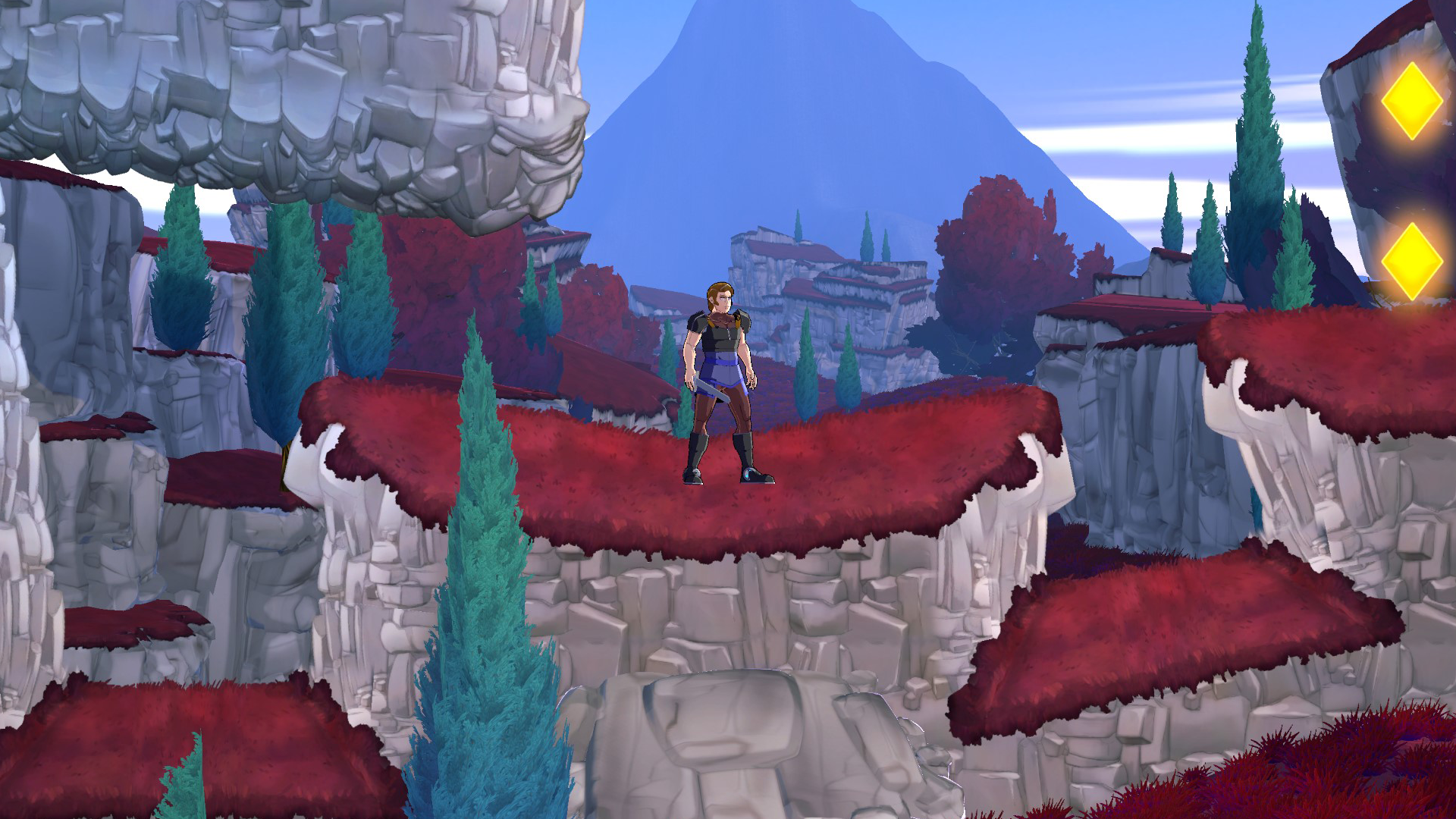
My contribution to the project
- Setting up the player controlls using Unity's Input Action system.
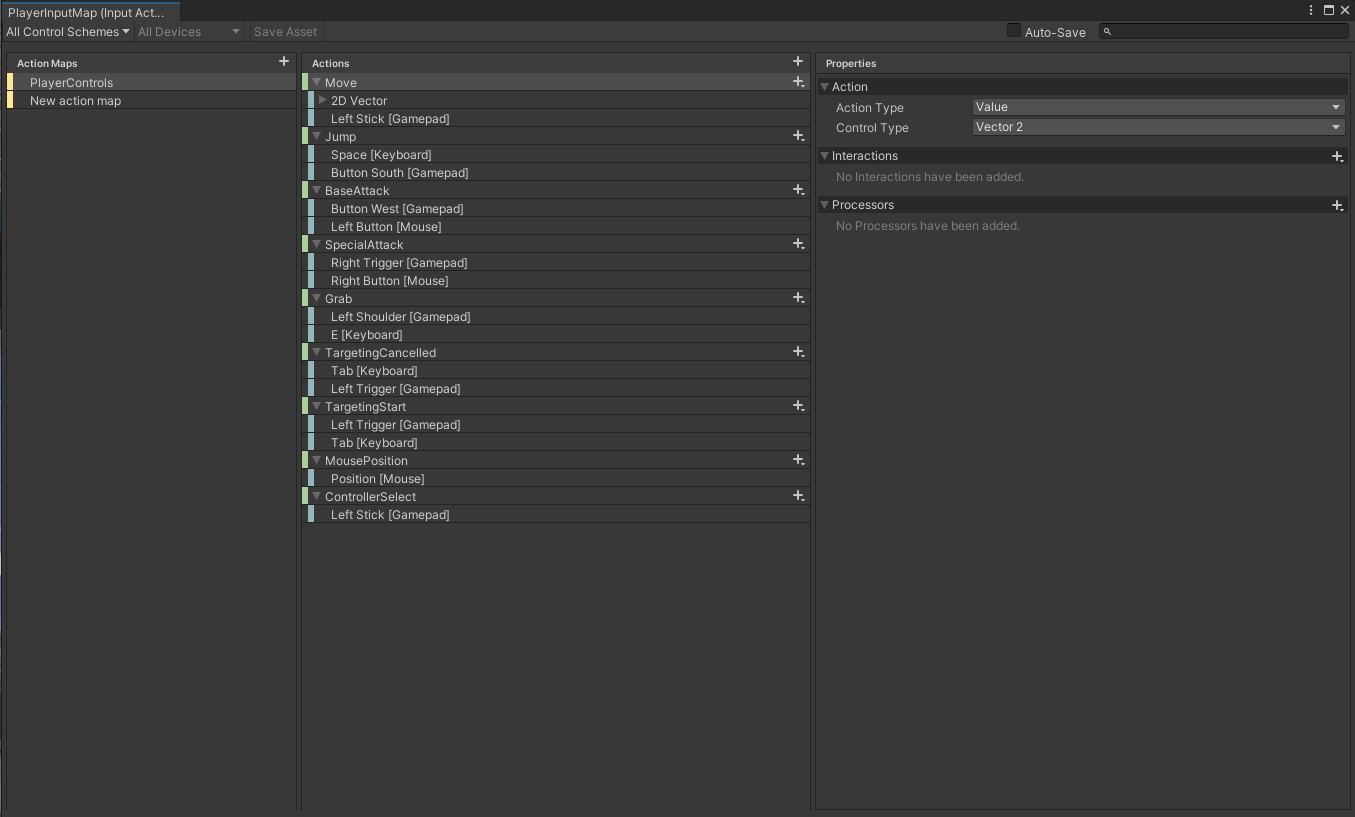
Me and another developer set up the player input systems. We set up the input action map and created a script that would be used to connect inputs with their functions.
- Setting up the system that allowed for multiple players to be controlled by different controllers.
By default, every player that would be spawned receives input from all controllers at the same time. Fixing this didn't require much additional code but it took some more research into Unity's Input Action system.
- Fixing bugs.
Over the course of this project I spent alot of time fixing bugs or finding out why certain things were not working the way we intended. Alot of this meant finding out about niche settings in the Unity editor or looking trough the code of others to find the problem.
I'm most proud of the work I did on player Input. Being a co-op game it was quite important to have a system that allowed for multiple player input. I was also quite happy with doing alot of bug squashing as it allowed me to interact with systems that I otherwise wouldn't have and it also taught me some more quirks about Unity. And due to the fact that glitch hunting is what got me into game developement in the first place, it was a fun experience to be on the other side this time.
Input System
Me and another developer began with the input system on the first sprint. We decided to use Unity's new Input Action system as we agreed it was a better way to manage inputs than the old system. Not only was the logic of defining an action and binding controlls to it more logical, the system also made changing inputs during runtime easier. This did mean we had to spend some time figuring out just how to use it, but the benefits were worth it.
We began by Setting up and Input Action Map. This is the way you define what actions the player can perform and which controlls they are bound to.
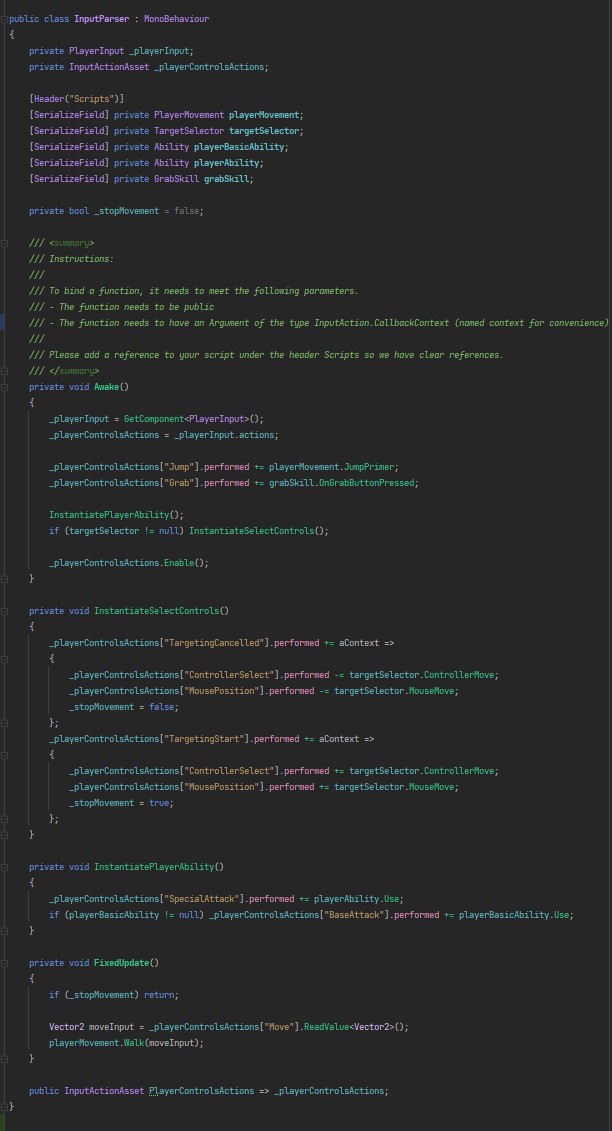
Then we created a script that would parse the input to the action map. Every script for the player that required input would then be connected to an action in the action map trough this script. We also documented the conventions of creating player actions.
What i learned from this project.
- Working in a large team.
The largest group I had worked in before this project was four people, so suddenly having more than ten team members took some getting used to. I had to learn to pay close attention to what everyone was doing, and make sure everyone else could know what i was doing. Luckily by use of daily standups/standdowns and Trello we all had a clear idea of who did, and is doing, what tasks. I had also never used Github for a project this large before, but luckily it wasn't much more complicated as the only new thing to learn were pull requests.
- Pair programming.
This is something I had never done before, but as soon as I started doing it during this project I saw why it was so usefull. I ended doing pair programming for most of the time I worked on this project. Considering an important part of this project was writing code that was both readable and able to be built upon by the next group, this was a great way to work. Having two pairs of eyes on your code meant that things that were hard to understand or perhaps too hardcoded were very likely to be corrected. And having two people to do research on something complicated helps find the resources you need more quickly.
- Using Unity's input action system.
This was the first time I had used this system and I have never looked back. I found that defining actions instead of just binding functions to controlls directly makes for a more logical system.